Minimum and Recommended System Requirements: What They Actually Promise
Publishers rarely say what resolution or frame rate their minimum spec buys you — but a few now do. What current PC requirement boxes actually promise, using their own published wording.
The two boxes on a PC store page are the most-read and least-explained numbers in gaming. "Minimum" and "Recommended" look like they mean something precise. Usually they don't say what they mean at all — and the handful of publishers who do spell it out have made the gap impossible to ignore.
Everything below is quoted from the publisher's own store listing, checked on 22 August 2026. There are no benchmark numbers in this article, because TechCarvalho has not tested these games. What we can do is read what the publishers actually wrote, which turns out to be more revealing than most people expect.
The short version
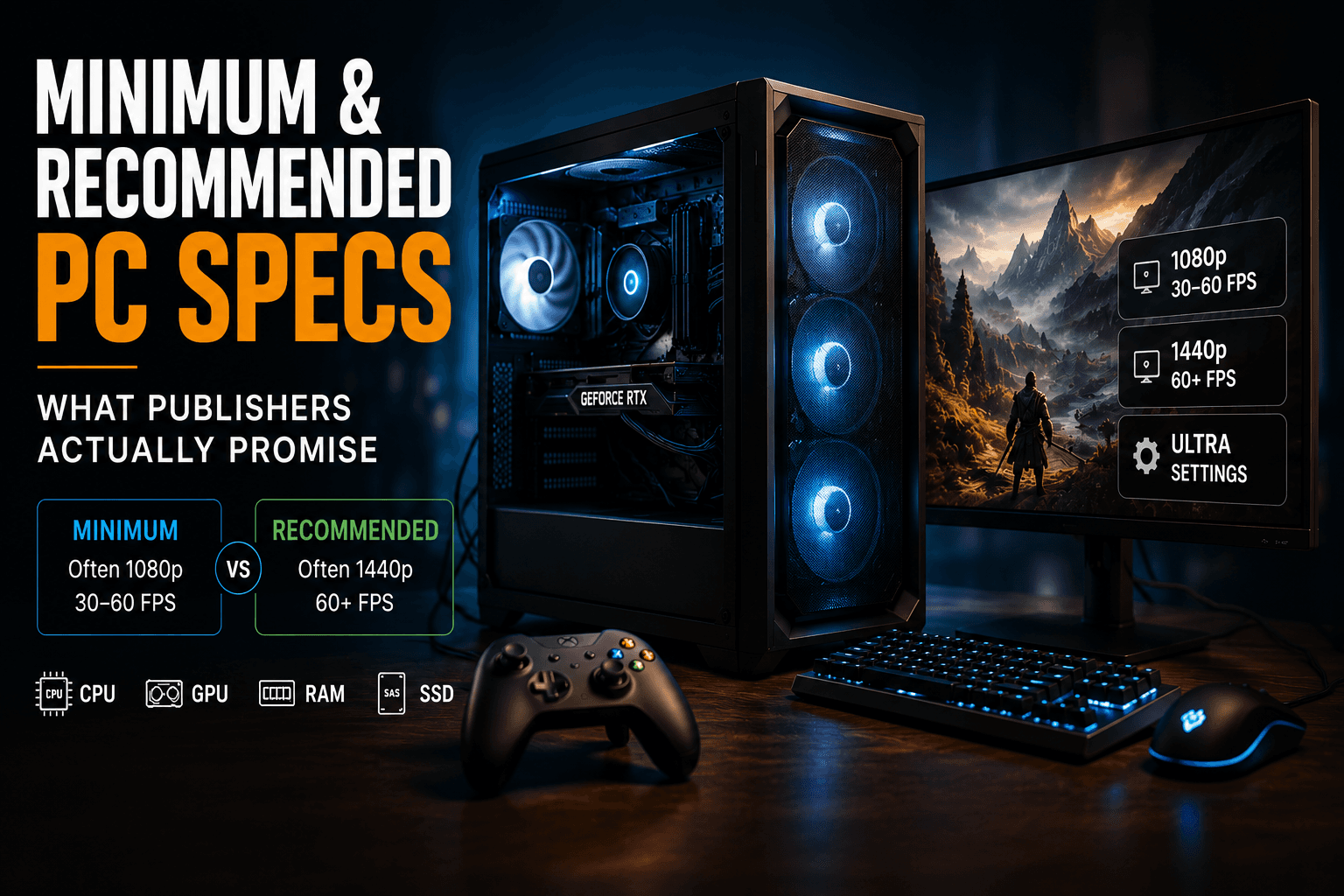
A minimum spec is the configuration below which the publisher will not support you. It is not a promise of a good experience, and unless the listing says otherwise it is not a promise of any particular resolution or frame rate. Recommended is the publisher's idea of a comfortable target — which is very often 1080p or 1440p at 60fps, not 4K, and not maximum settings.
Most publishers don't tell you the target. A few now do
This is the single most useful thing to check, and most listings omit it entirely. Elden Ring, Cyberpunk 2077 and Baldur's Gate 3 all state hardware without ever saying what resolution or frame rate that hardware is supposed to deliver.
A small group of recent releases do state it, and the wording is worth reading closely:
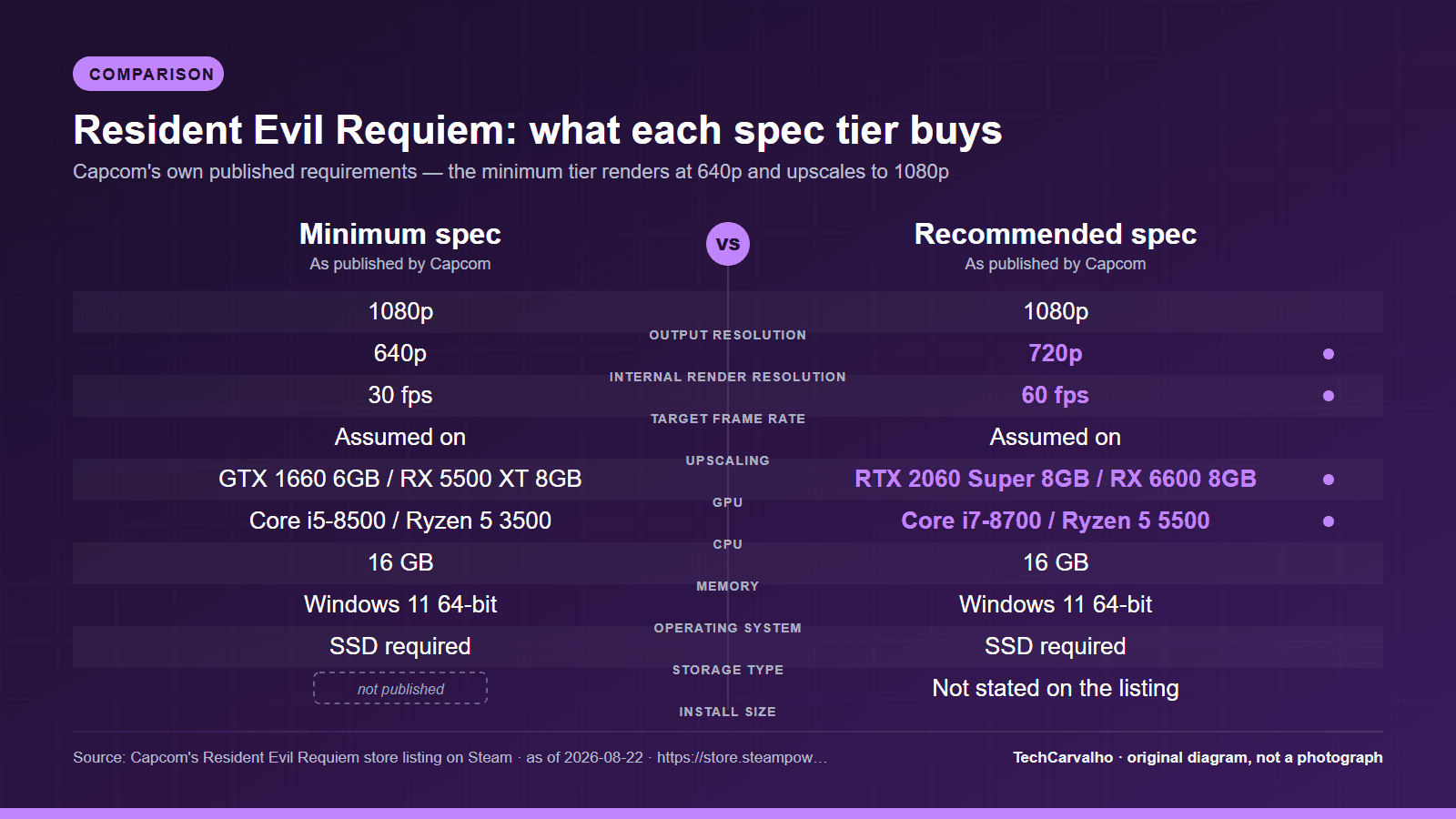
- Resident Evil Requiem (released 26 February 2026). Minimum: "Supports 1080p gameplay (using upscaling, native resolution of 640p)/30fps." Recommended: "Supports 1080p gameplay (using upscaling, native resolution of 720p)/60fps."
- DOOM: The Dark Ages (released 14 May 2025). Minimum: "1080p / 60 FPS / Low Quality Settings, NVME SSD storage required." Recommended: "1440p / 60 FPS / High Quality Settings, NVME SSD storage required."
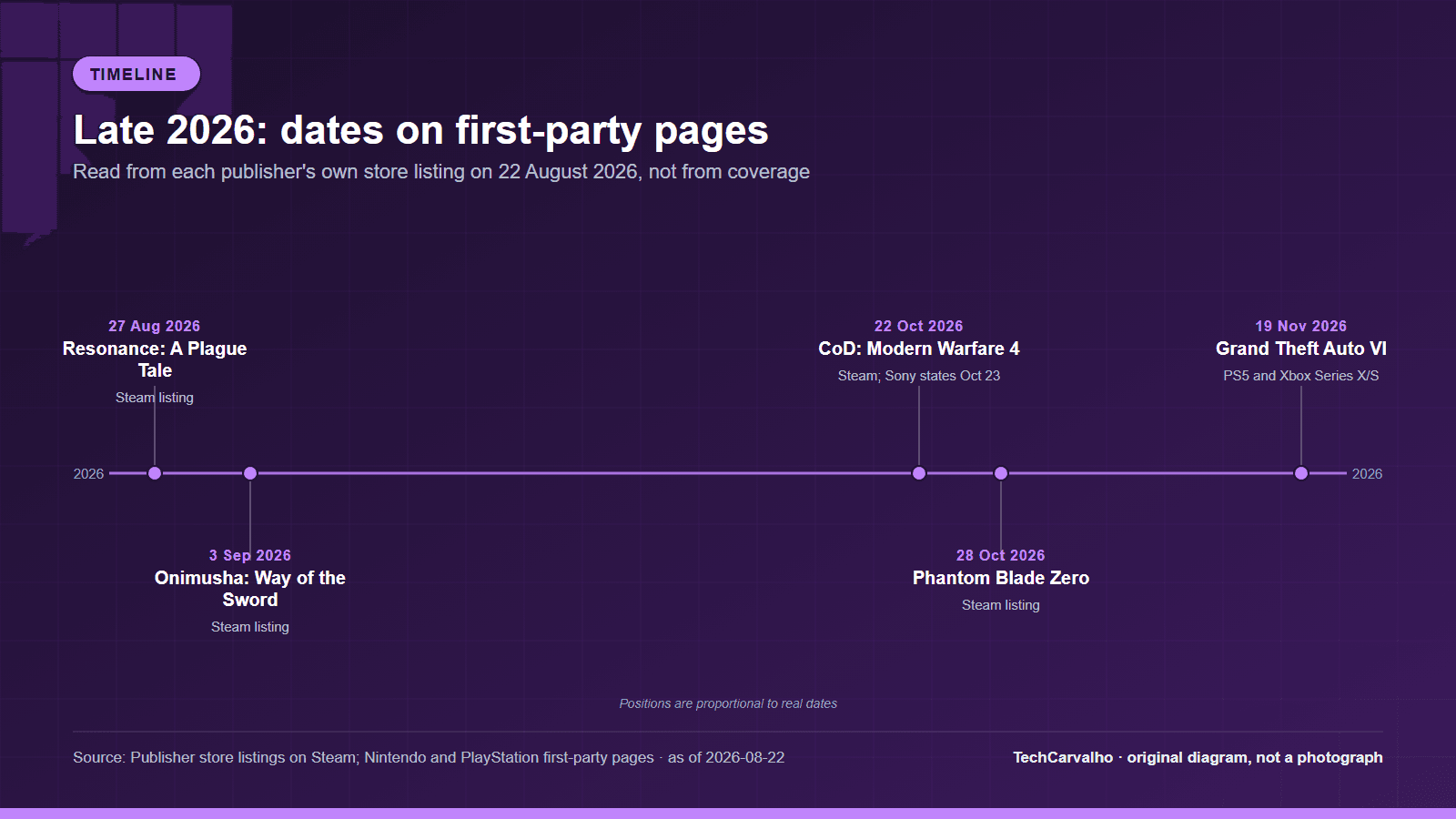
- Phantom Blade Zero (dated 28 October 2026). Minimum: "1080p / 30 FPS with upscaling enabled. SSD installation required." Recommended: "1440p / 60 FPS with upscaling enabled."
- Resonance: A Plague Tale Legacy (dated 27 August 2026). Minimum: "30 FPS in 1920x1080 with 'Low' preset." Recommended: "60 FPS in 1920x1080 with the 'Ultra' preset."
Read that Resident Evil Requiem line again, because it is the most honest requirements box currently on Steam. The minimum specification renders the game internally at 640p and upscales it to 1080p, at 30 frames per second. The recommended specification renders at 720p internally and upscales to 1080p at 60. Capcom is telling you exactly what you are buying, and almost nobody else does.
"Minimum" increasingly means "minimum, with upscaling turned on"
Black Myth: Wukong states it plainly in both its minimum and recommended blocks: "The above specifications were tested with DLSS/FSR/XeSS enabled."
That single sentence changes how you read every number above it. A GTX 1060 6GB is listed as the minimum GPU — but for a scenario where the game is not rendering at the output resolution. Phantom Blade Zero says the same thing in fewer words ("with upscaling enabled") on both columns. Resident Evil Requiem quantifies it.
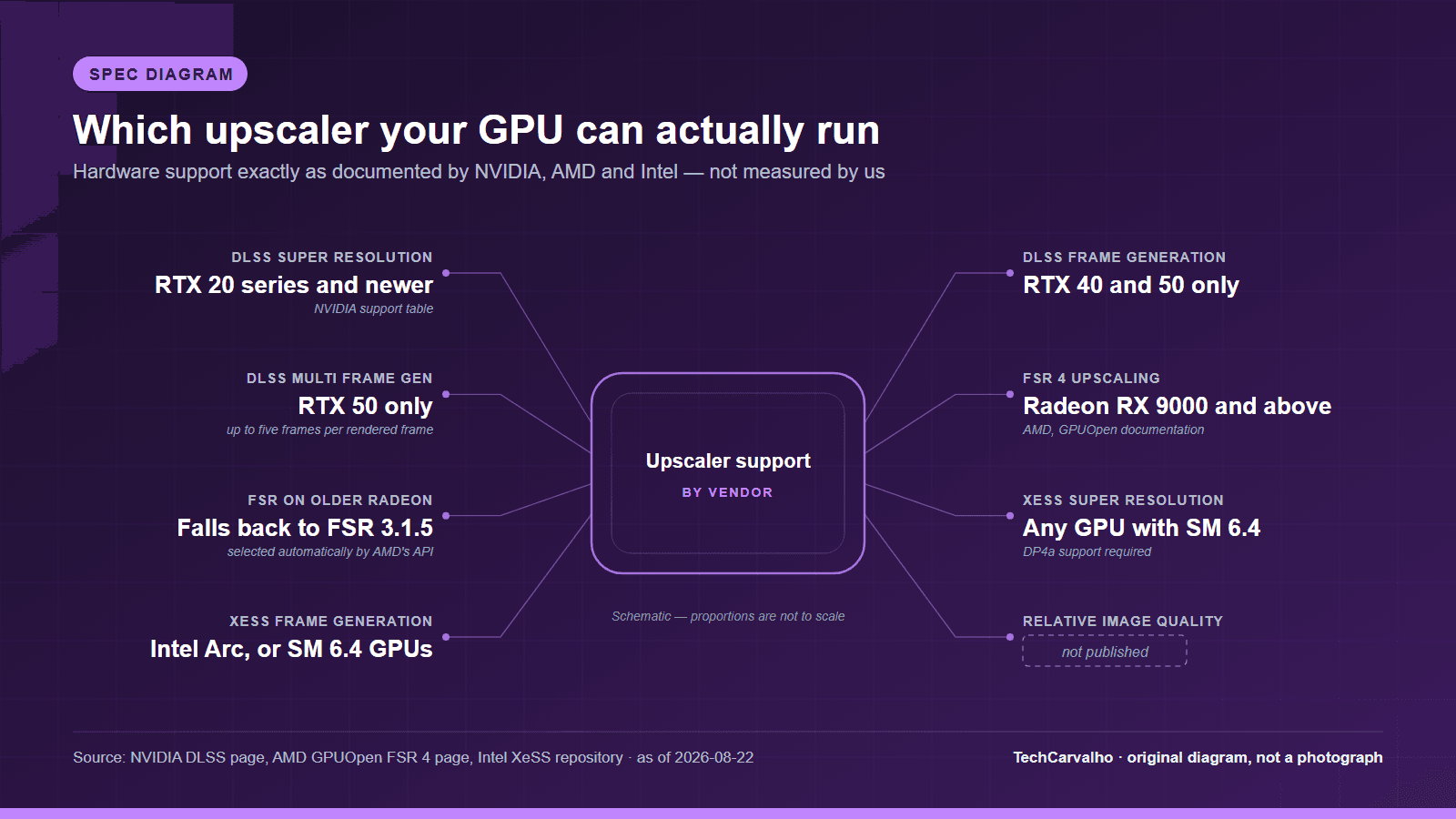
The practical consequence: if you were planning to play at native resolution with upscaling off, the published minimum spec is not describing your situation, and neither is the recommended one. We have a separate explainer on how the three upscalers differ and which GPUs can run which.
Recommended is not "max settings"
Of the four listings above that state a target, the most ambitious recommended figure is 1440p at 60fps. Not one of them promises 4K. Resonance: A Plague Tale Legacy is the only one whose recommended tier names its highest preset, and it pairs "Ultra" with 1080p, not 1440p or 4K.
If your goal is 4K, or high-refresh 1440p, or ray tracing turned up, the recommended column is a floor rather than a target, and you are into territory the publisher has not made any claim about at all.
The requirement that has nothing to do with performance
Some entries in a requirements box are hard gates. No amount of GPU fixes them.
- Battlefield 6 lists, in both columns, "TPM 2.0 Enabled UEFI SECURE BOOT Enabled HVCI Capable VBS Capable". These are platform-security features for its anti-cheat. A machine that cannot enable Secure Boot and TPM 2.0 does not run the game, regardless of how fast it is.
- Assassin's Creed Shadows appends "(REBAR ON)" to its GPU line in both columns — Resizable BAR, a motherboard/firmware setting, not a graphics option.
- Microsoft Flight Simulator 2024 lists a network requirement alongside the hardware: "Network Speed of 10 Mbps Bandwidth" at minimum, "Network Speed of 50 Mbps Bandwidth" at recommended. Very few games put a bandwidth figure in the spec box; this one does because of how much of its content is delivered over the network rather than installed.
- Several 2025 and 2026 listings now say SSD required outright. DOOM: The Dark Ages specifies NVMe.
Check these lines first. They are pass/fail, and they are the ones people discover after buying.
When the two columns are nearly identical, that is information too
Monster Hunter Wilds lists the same CPU in both columns — "Intel Core i5-10400 or Intel Core i3-12100 or AMD Ryzen 5 3600" appears verbatim as both the minimum and recommended processor. Only the GPU changes, from a GTX 1660 6GB to an RTX 2060 Super 8GB. That tells you where Capcom thinks the bottleneck is, and it tells you that upgrading the CPU alone is unlikely to move you between those two tiers.
Storage behaves the same way. Baldur's Gate 3, Cyberpunk 2077, Elden Ring, Assassin's Creed Shadows and Borderlands 4 all list an identical storage figure in both columns, because the install is the install. Battlefield 6 is the exception worth knowing about: 55 GB at minimum and 80 GB at recommended, which is a hint that higher-quality assets are an optional download rather than a fixed part of the install.
Sometimes the requirements simply don't exist yet
Call of Duty: Modern Warfare 4 is dated 22 October 2026 on its own Steam listing and priced at $69.99. As of 22 August 2026, roughly two months before launch, both its minimum and its recommended requirement blocks read: "Requires a 64-bit processor and operating system. Additional Notes: TBD."
That is Activision's own listing. Any specific Modern Warfare 4 system requirement circulating right now did not come from the publisher's store page, and should be treated as unverified until that page changes.
How to read a requirements box in under a minute
- Look for a stated target first — a resolution and a frame rate. If there isn't one, the hardware figures are unanchored and you cannot compare them to another game's.
- Look for the word "upscaling", or a mention of DLSS, FSR or XeSS. If it's there, the numbers assume it is on.
- Look for hard gates: Secure Boot, TPM, Resizable BAR, SSD or NVMe, network bandwidth.
- Compare the two columns to each other. Whatever changes between them is the component the publisher believes is limiting.
- Check the VRAM figure separately from the GPU model. Several listings above specify VRAM independently, and a card that matches the model name with less memory is not the card they tested.
When this doesn't matter
If you play on console, none of this applies to you: platform holders certify a single fixed configuration, and that is the whole point of a console.
If your PC already exceeds the recommended column by a wide margin on a game of this generation, you can stop reading the boxes and start looking at settings guides instead — the requirements box has nothing left to tell you.
If you are playing games that are more than a few years old, the minimum column is almost certainly irrelevant, because it was written for a hardware landscape that has moved on.
And if you are genuinely happy at 1080p with a controller on a TV, the minimum tier on most of these listings is describing something quite close to what you already want, and the upgrade the recommended column implies may buy you less than the price suggests.
What this article deliberately does not contain
No frame-rate measurements, no "we tested this on an RTX 4070" claims, and no estimates of what a card not named in a listing would do. TechCarvalho has not benchmarked these titles. Everything above is the publisher's own published wording, read on 22 August 2026, and requirement boxes are edited after launch — if a figure here disagrees with the store page today, the store page is right.
Products covered
Sources
- Activision / Steam store listingprimary source
- Asobo Studio / Xbox Game Studios / Steam store listingprimary source
- Ubisoft / Steam store listingprimary source
- Capcom / Steam store listingprimary source
- EA / Battlefield Studios / Steam store listingprimary source
- Game Science / Steam store listingprimary source
- Asobo Studio / Focus Entertainment / Steam store listingprimary source
- S-GAME / Steam store listingprimary source
- id Software / Bethesda / Steam store listingprimary source
- Capcom / Steam store listingprimary source
Tech Carvalho does not publish hands-on test results. This piece is written from the sources above and from public documentation. See our editorial policy.