Ethernet vs Wi-Fi for Gaming and Video Calls: It's About Jitter, Not Speed
The usual argument for Ethernet is "it's faster." On a modern network that argument is mostly wrong, and it obscures the real reason to run a cable.
The usual argument for Ethernet is "it's faster." On a modern network that argument is mostly wrong, and it obscures the real reason to run a cable.
Wi-Fi is fast enough. That was never the problem.
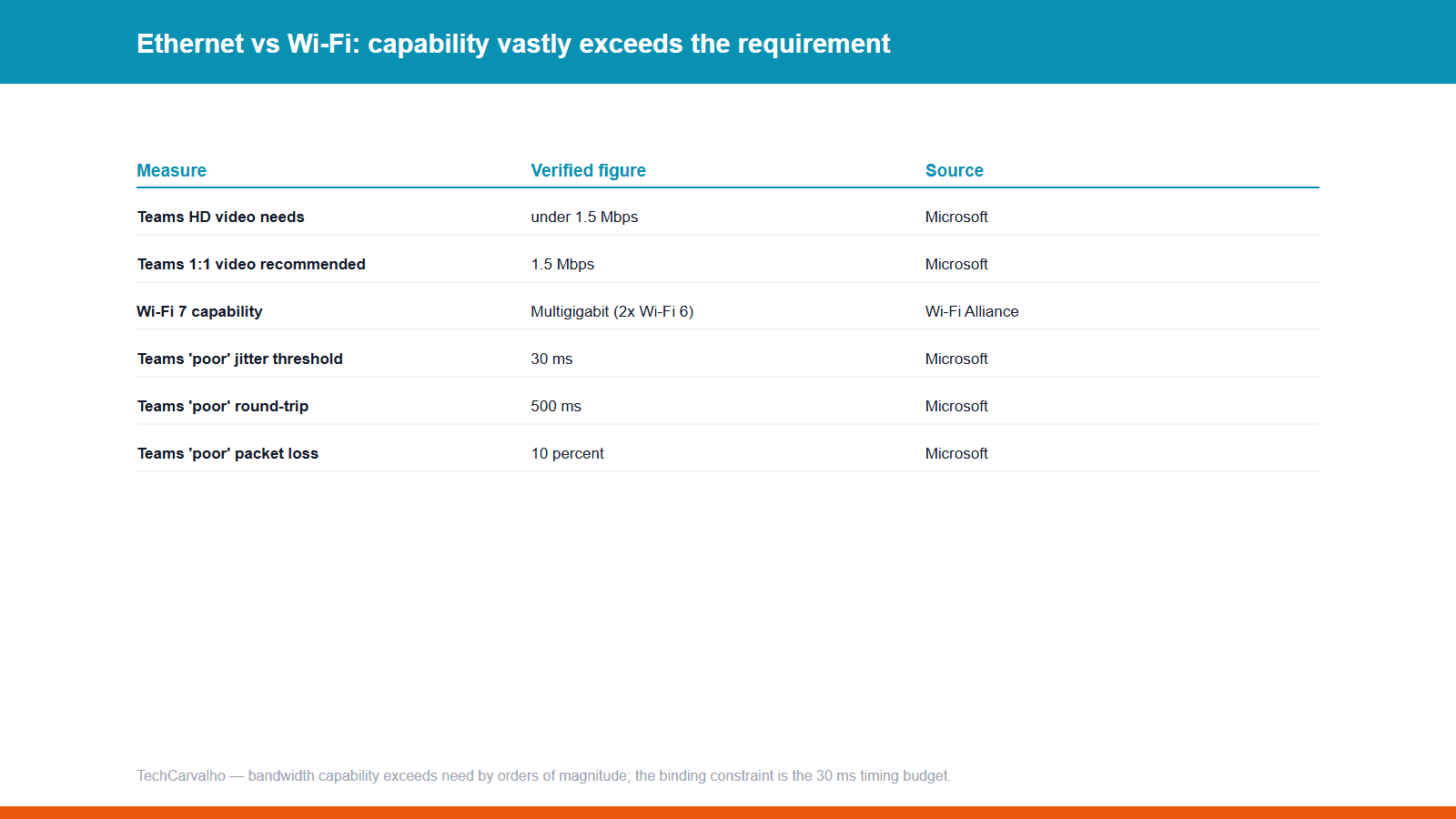
The Wi-Fi Alliance describes Wi-Fi CERTIFIED 7 as delivering 320 MHz channels in the 6 GHz band providing twice the throughput of Wi-Fi 6, enabling multigigabit device speeds.
Now look at what the applications actually need. Microsoft states that Teams can deliver HD video quality in under 1.5 Mbps, with recommended bandwidth of 1.5 Mbps for one-to-one video and 2.5 Mbps in meetings. Competitive online games typically consume less. Neither workload is remotely bandwidth-limited on any Wi-Fi generation from the last decade.
If your video call is breaking up, throughput is almost certainly not the cause.
The real variable is jitter
The IETF defines IP packet delay variation formally in RFC 3393: the difference between the one-way delay of selected packets. Plainly — not how long packets take, but how *inconsistently* they arrive.
Real-time media is unusually sensitive to this. A voice or game-state stream needs packets delivered on a steady cadence. When arrival times scatter, the receiver either waits (adding delay) or plays out incomplete data (producing artefacts). Microsoft's own quality guidance classifies an audio stream as poor if average jitter exceeds 30 ms, packet loss exceeds 10%, or round-trip time exceeds 500 ms — and describes the symptom precisely: packets arriving at different speeds cause a speaker's voice to sound robotic.
Note how modest 30 ms is compared with the 500 ms round-trip threshold. Small timing inconsistencies wreck a call long before absolute latency does.
Why the two media differ structurally
IEEE 802.3 — Ethernet — supports full duplex operation. Every modern switched Ethernet link is full duplex point-to-point: your device has the wire to itself, in both directions, simultaneously. Nothing else transmits on it. There is no contention, and nothing for a microwave or a neighbour's access point to interfere with.
IEEE 802.11 defines wireless connectivity for stations within a local area, operating in licence-exempt **shared** spectrum. That is the whole difference. A radio channel is a shared medium: every device takes turns, and airtime spent by one is unavailable to another. Add external interference, signal variation as you or objects move, and handoffs when a device roams, and you have several independent sources of timing variability a cable simply does not have.
This is why the honest framing is *consistency*, not speed. Wi-Fi's average latency can be excellent. It is the distribution's tail that causes the stutter you notice.
Microsoft's network guidance says as much: Wi-Fi networks aren't necessarily designed or configured to support real-time media. Their recommended mitigations — implement QoS or WMM so media traffic is prioritised, prefer 5 GHz, use band steering, ensure nearby access points use non-overlapping channels — are every one of them a fix for contention or interference, not bandwidth.
Wi-Fi 7 genuinely narrows the gap
Multi-Link Operation is the most relevant change in years. The Wi-Fi Alliance states that MLO supports more efficient load balancing of traffic among links, resulting in increased throughput and enhanced reliability. A client using multiple links at once is less exposed to a single congested channel — attacking exactly the tail-latency problem that hurt earlier Wi-Fi.
When you should not bother running a cable
Be honest about your situation before drilling holes. If you play single-player games, stream video, browse, or take calls that already work fine, Ethernet will change nothing you can perceive — streaming video is buffered and jitter-tolerant by design.
Run the cable if you play competitive multiplayer, take calls that intermittently go robotic, or live somewhere with dense neighbouring Wi-Fi. And check the cheap fixes first: moving to 5 or 6 GHz, relocating the access point, or enabling WMM often recovers most of the difference, because they address the same contention problem the cable does.
Sources
- IEEE Standards Associationprimary source
- IETF RFC 3393primary source
- Microsoftprimary source
- Wi-Fi Allianceprimary source
Tech Carvalho does not publish hands-on test results. This piece is written from the sources above and from public documentation. See our editorial policy.
Related comparisons
Other head-to-heads covering the same subject.
 Comparison
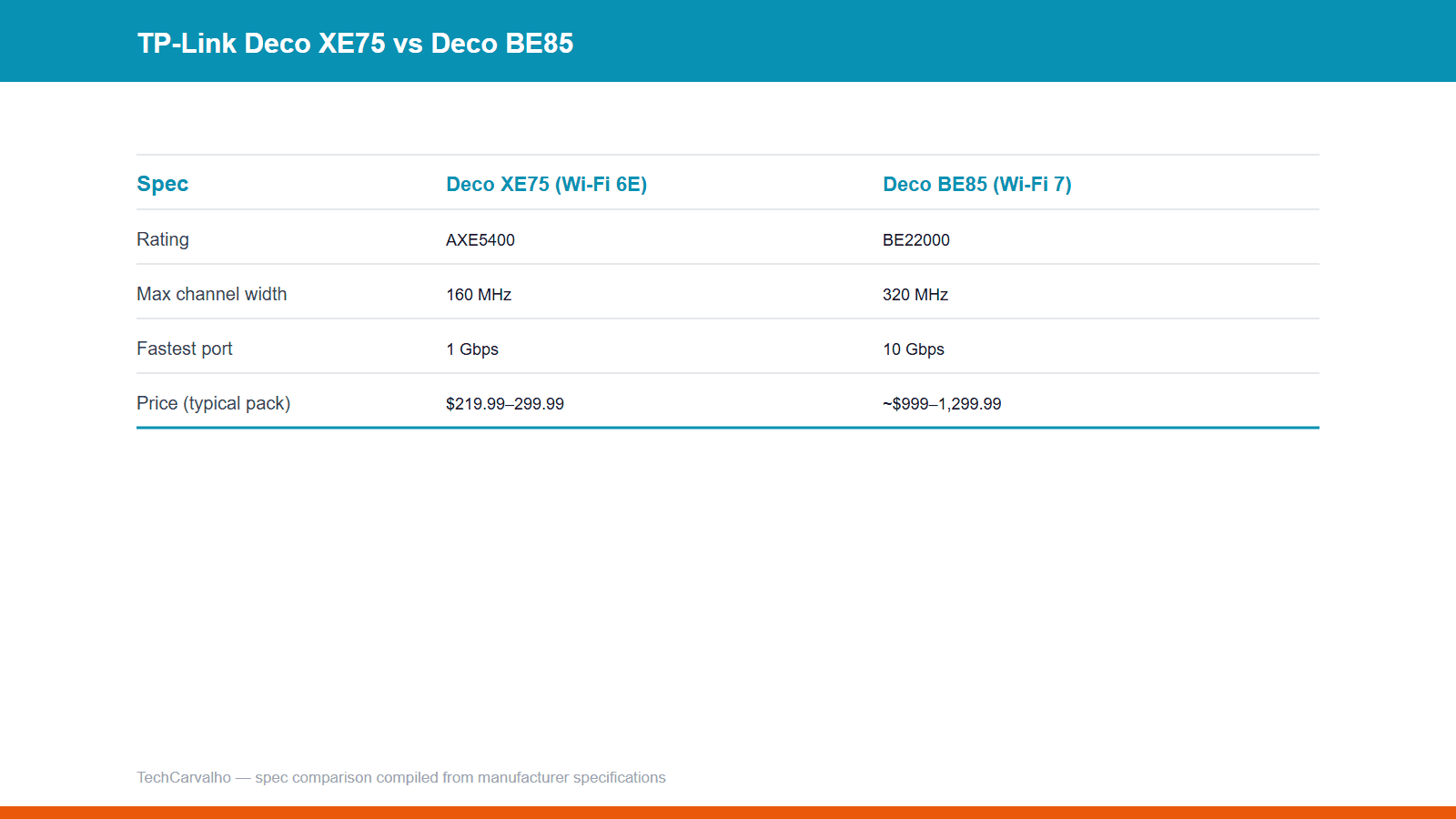
Mesh Router Buying Guide 2026 — Wi-Fi 6E vs. Wi-Fi 7
 Comparison
Mesh Wi-Fi vs a Single Router: Do You Actually Need Mesh
The one structural problem mesh actually solves, why wired backhaul matters more than any other mesh spec, and when a single router is still the right buy.
 Comparison
Thread vs Zigbee vs Wi-Fi: What Each Smart Home Protocol Actually Does
 Comparison
Xbox Game Pass vs PlayStation Plus: What You Actually Get